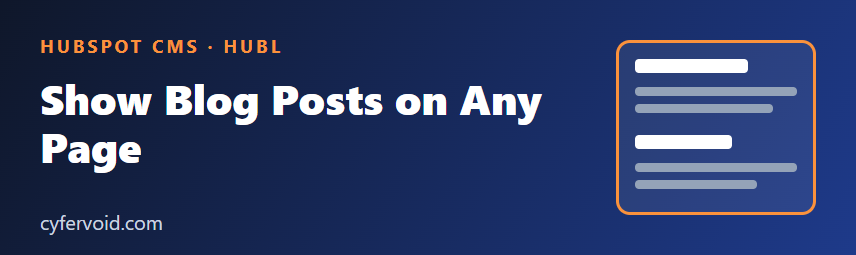
A common request on HubSpot sites: "show our three latest articles on the homepage." You do not need a third-party widget or a JavaScript call to the API. HubL can read your blog directly at render time, so the list is server-rendered, fast, and indexable.
The basic idea
HubL provides blog functions that return posts from a HubSpot blog. The most useful one for this job is blog_recent_posts. You pass the blog's ID (or the name default for the primary blog) and a limit, then loop over the result like any other list.
{% set posts = blog_recent_posts('default', 3) %}

{% for post in posts %}
  <article class="post-card">
    <h3><a href="{{ post.absolute_url }}">{{ post.name }}</a></h3>
    <p>{{ post.post_summary|striptags|truncatewords(25) }}</p>
  </article>
{% endfor %}
Check the exact function signature and the post properties available in HubSpot's HubL reference before you ship, because HubSpot adds and renames properties over time. If you use a blog other than the default one, find its numeric ID in the blog's settings and pass that instead of 'default'.
Put it in a custom module
Hard-coding the blog ID and the count in a template makes the block hard to reuse. A small custom module with three fields (heading, number of posts, blog) keeps editors in control.
fields.json
[
  {
    "name": "heading",
    "label": "Heading",
    "type": "text",
    "default": "Latest articles"
  },
  {
    "name": "post_count",
    "label": "Number of posts",
    "type": "number",
    "default": 3,
    "min": 1,
    "max": 12
  },
  {
    "name": "blog",
    "label": "Blog",
    "type": "blog"
  }
]
module.html
{% set blog_id = module.blog | default('default') %}
{% set posts = blog_recent_posts(blog_id, module.post_count) %}

<section class="latest-posts">
  <h2>{{ module.heading }}</h2>

  {% if posts %}
    <ul class="latest-posts__list">
      {% for post in posts %}
        <li class="latest-posts__item">
          <a href="{{ post.absolute_url }}">{{ post.name }}</a>
          <time datetime="{{ post.publish_date|format_datetime('yyyy-MM-dd') }}">
            {{ post.publish_date|format_date('medium') }}
          </time>
        </li>
      {% endfor %}
    </ul>
  {% else %}
    <p>No articles yet.</p>
  {% endif %}
</section>
Test the blog field's returned value in your own portal (for example with {{ module.blog }} in the editor preview), since field value shapes can differ from what you expect. The fallback to 'default' keeps the module working if the field is left empty.
Practical tips
- Always handle the empty case. A new blog or a wrong ID returns no posts. An
{% if posts %}check avoids an empty heading with nothing below it. - Use a real heading level. Match the heading to the page outline (the module above uses
h2). Do not skip levels just for styling. - Add the date with a
timeelement. It gives browsers and search engines a machine-readable date. - Keep the limit small. Each extra post adds render work and page weight. Three to six is usually enough for a teaser block.
- Mind the cache. HubSpot caches rendered pages, so a newly published post can take a short time to appear on pages that embed the list.
- Look for the tag-based variant. HubSpot also documents a related function for posts by tag, handy for "related reading" blocks.
Debugging when nothing shows
- Print the blog ID you pass:
{{ blog_id }}. - Print the result with
{{ posts|pprint }}in the editor preview (remove it afterwards). - Confirm the posts are published, not drafts or scheduled for later.
- Confirm you are previewing the page on a domain connected to the portal.
Summary
blog_recent_posts lets you reuse your blog content anywhere on a HubSpot site without extra scripts. Wrap it in a custom module with a heading, a count and a blog field, guard against empty results, and output only the fields you need. Always verify function names and post properties against HubSpot's current HubL documentation, because they can change.