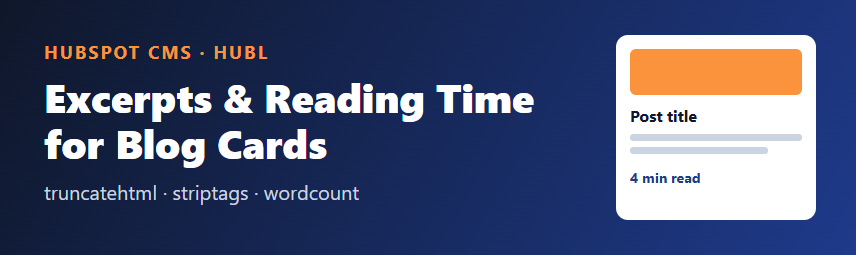
A blog listing is only as good as its cards. Broken HTML in an excerpt, a summary cut in the middle of a word, or a missing reading time all make a site feel unfinished. HubL, the templating language of HubSpot CMS, ships with text filters that solve each of these in one line. This article shows how to combine them in a reusable card.
The filters you need
striptagsremoves HTML tags and returns plain text.truncateshortens plain text to a length and adds an ending. Use it on text that contains no HTML.truncatehtmlshortens text that contains HTML and closes any tags it cut open, so a card is never left with a dangling<strong>.wordcountreturns the number of words in a string.roundrounds a number; it accepts a precision and a method (common,ceilorfloor).
1. Plain-text excerpts
For cards, plain text is usually safest: no unexpected headings, images or links inside a small card. Strip the tags first, then truncate:
{% set excerpt = post.post_list_content|striptags|truncate(160) %}
<p>{{ excerpt }}</p>
Order matters. If you truncate first, you may cut a tag in half and striptags then has nothing sensible to remove.
2. Keeping basic formatting with truncatehtml
If you want to keep simple formatting such as bold text or links in the excerpt, use truncatehtml instead. It takes a length and, optionally, an ending string:
{{ post.post_list_content|truncatehtml(200, '...') }}Here the output is HTML on purpose, so do not escape it. Only use this on content that comes from your own editors, not from visitors.
3. A reading-time label
Reading time is the word count divided by an average reading speed, commonly about 200 words per minute, rounded up. Always show at least one minute:
{% set words = post.post_body|striptags|wordcount %}
{% set minutes = (words / 200)|round(0, 'ceil')|int %}
{% if minutes < 1 %}{% set minutes = 1 %}{% endif %}
<span class="card__meta">{{ minutes }} min read</span>
Strip the tags before counting. Otherwise attribute names and markup inflate the number.
4. Putting it together in a card
{% for post in contents %}
  {% set excerpt = post.post_list_content|striptags|truncate(160) %}
  {% set words = post.post_body|striptags|wordcount %}
  {% set minutes = (words / 200)|round(0, 'ceil')|int %}
  <article class="card">
    <h3><a href="{{ post.absolute_url }}">{{ post.name }}</a></h3>
    {% if excerpt %}<p>{{ excerpt }}</p>{% endif %}
    <span class="card__meta">{{ minutes if minutes > 0 else 1 }} min read</span>
  </article>
{% endfor %}
The same loop works with the list you get from blog_recent_posts or from a blog listing template. Adjust the variable names (contents, post) to match the loop you already have.
5. Fallbacks and edge cases
- Empty summary: fall back to the meta description with
{% set excerpt = post.post_list_content|striptags|truncate(160) or post.meta_description %}. - Very short posts: guard the minimum so a card never says "0 min read".
- Non-English text: word-based reading time is an estimate and works poorly for languages written without spaces between words.
- Performance: counting words on a long post for every card is cheap, but avoid doing it on pages that list hundreds of posts at once; paginate instead.
Checklist
- Strip tags before truncating plain text.
- Use
truncatehtmlonly when you want to keep HTML. - Count words on stripped text.
- Round reading time up and show at least one minute.
- Provide a fallback when the summary is empty.
- Preview with a long post, a short post and a post with no summary.
Sources
Filter behavior is described in the HubSpot developer documentation for HubL filters (developers.hubspot.com, HubL filters reference). Test the exact output in your own portal, since available post fields depend on the template context.