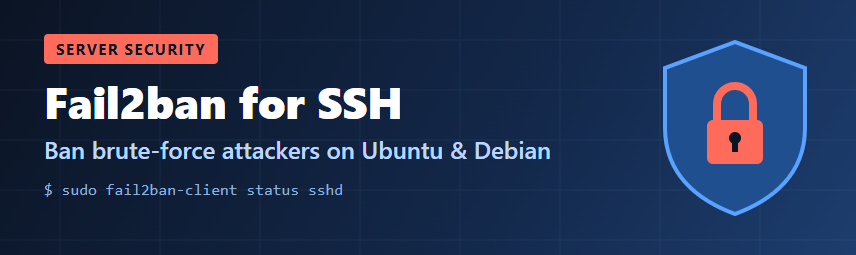
Any server with SSH open to the internet receives a steady stream of automated login attempts. Key-only login stops them from succeeding, but the attempts still fill your logs and use resources. Fail2ban reads your logs, spots repeated failures from the same IP address, and blocks that address in the firewall for a set time.
This guide sets up Fail2ban for SSH on Ubuntu and Debian, explains the settings that matter, and shows how to test it without banning yourself.
1. What Fail2ban does (and does not do)
Fail2ban is built from jails. Each jail combines:
- a log source to watch (a log file or the systemd journal),
- a filter with patterns that match failed attempts (for SSH, the
sshdfilter), - an action that bans and later unbans the address, usually by adding a firewall rule.
Fail2ban reduces noise and slows down brute-force attacks. It does not fix weak passwords, and it cannot do much against attacks spread over many IP addresses. Use it together with key-only SSH login, a host firewall and regular security updates.
2. Install Fail2ban
sudo apt update
sudo apt install fail2ban
Check that the service is running and starts at boot:
sudo systemctl enable --now fail2ban
sudo systemctl status fail2ban
On Debian and Ubuntu, the package ships a small file in /etc/fail2ban/jail.d/ that enables the sshd jail by default. You will still want to set your own values, as shown below.
3. Never edit jail.conf: use jail.local
The main file /etc/fail2ban/jail.conf contains all the defaults, but it can be replaced when the package is upgraded. The file itself says not to edit it. Put your changes in /etc/fail2ban/jail.local (or in a .local file inside /etc/fail2ban/jail.d/). Fail2ban reads the .conf files first and then applies the .local files on top, so you only need to write the settings you want to change.
Create the file:
sudo nano /etc/fail2ban/jail.localA good starting point for SSH:
[DEFAULT]
# Never ban these addresses (localhost and your own fixed IP)
ignoreip = 127.0.0.1/8 ::1 203.0.113.10

# Ban for 1 hour after 5 failures within 10 minutes
bantime  = 1h
findtime = 10m
maxretry = 5

# Ban repeat offenders for longer each time
bantime.increment = true
bantime.maxtime   = 1w

[sshd]
enabled = true
port    = ssh
Replace 203.0.113.10 with the fixed public IP address you connect from, or remove it if your address changes. If SSH listens on another port, set it in the jail, for example port = 2222. If the port is wrong, Fail2ban will add a ban that blocks the wrong port and the attacker can keep trying.
4. The settings that matter
| Setting | What it means | Default in jail.conf |
|---|---|---|
maxretry | Number of failures before an address is banned | 5 |
findtime | Time window in which those failures must happen | 10m |
bantime | How long a ban lasts (a negative value means permanent) | 10m |
ignoreip | Addresses or networks that are never banned | 127.0.0.1/8 ::1 |
bantime.increment | Makes each new ban of the same address longer | false |
backend | Where log lines come from: a log file or the systemd journal | auto |
banaction | Firewall action used to ban an address | Depends on the distribution package |
Avoid permanent bans on SSH. Home and mobile IP addresses are often shared or reassigned, and a permanent ban can end up blocking a real user (or you) long after the attacker has moved on. An increasing ban time with a maximum, as in the example, is a better balance.
5. Test the configuration and restart
Check the configuration for errors before restarting:
sudo fail2ban-client -tIf the test passes, restart the service and check the jail:
sudo systemctl restart fail2ban
sudo fail2ban-client status
sudo fail2ban-client status sshd
The status sshd output shows the log source being watched, the number of failed attempts seen, and the list of currently banned IP addresses.
6. If the sshd jail does not start: log file vs systemd journal
Fail2ban needs to read SSH login failures. On systems that write them to /var/log/auth.log (Ubuntu does this by default through rsyslog), the default works. Some newer Debian installations do not install rsyslog, so /var/log/auth.log does not exist and the jail fails to start with an error about the missing log file.
Check the Fail2ban log for errors:
sudo tail -n 50 /var/log/fail2ban.logIf the log file is missing, tell the jail to read the systemd journal instead:
[sshd]
enabled = true
port    = ssh
backend = systemd
The systemd backend needs the Python systemd bindings. If Fail2ban reports they are missing, install them with sudo apt install python3-systemd, then test and restart again.
7. Check that the filter matches your logs
The fail2ban-regex tool runs a filter against a log and shows how many lines matched. This is the quickest way to confirm that Fail2ban really sees failed logins:
# When SSH logs go to /var/log/auth.log
sudo fail2ban-regex /var/log/auth.log /etc/fail2ban/filter.d/sshd.conf

# When SSH logs only go to the systemd journal
sudo fail2ban-regex systemd-journal /etc/fail2ban/filter.d/sshd.conf
Look at the Failregex line in the results. If it reports 0 matches on a server that is clearly receiving login attempts, the jail is reading the wrong source.
8. See, ban and unban addresses
| Task | Command |
|---|---|
| List active jails | sudo fail2ban-client status |
| Show failures and banned IPs for SSH | sudo fail2ban-client status sshd |
| Unban one address from the SSH jail | sudo fail2ban-client set sshd unbanip 198.51.100.25 |
| Ban an address manually | sudo fail2ban-client set sshd banip 198.51.100.25 |
| Test the configuration | sudo fail2ban-client -t |
| Reload after changing configuration | sudo fail2ban-client reload |
| Read Fail2ban's own log | sudo tail -f /var/log/fail2ban.log |
To test a real ban safely, use a second machine or a temporary cloud server whose IP is not in ignoreip. Try to log in with a wrong user or password more than maxretry times, then check status sshd on the server. Never test from the only connection you have to the server.
9. Working with UFW and Docker
- UFW: Fail2ban and UFW can run side by side. Fail2ban adds its own firewall rules for banned addresses. If you prefer bans to appear in
ufw status, Fail2ban includes aufwaction that you can select withbanaction = ufwinjail.local. - Docker: Fail2ban's default actions block traffic to the host itself. Traffic to published container ports is handled by Docker's own firewall chains and may not be affected by those bans. If you protect a service running in a container, the ban must be applied in the
DOCKER-USERchain, as described in the Docker documentation on packet filtering.
10. Optional: ban repeat offenders for longer
The recidive jail, already defined in jail.conf, watches Fail2ban's own log and bans addresses that keep getting banned by other jails. Enable it in jail.local:
[recidive]
enabled = true
Its defaults in jail.conf apply a long ban across all ports. If you already use bantime.increment, you may not need it; pick one approach so the behavior stays easy to understand.
11. If you ban yourself
- Connect from another IP address, or use your hosting provider's web console, and run
sudo fail2ban-client set sshd unbanip YOUR.IP. - Add your fixed address to
ignoreipso it does not happen again. - Check that your SSH client is not trying many keys before the right one. Each rejected key can count as a failure; set
IdentitiesOnly yesand the correctIdentityFilefor that host in~/.ssh/config.
Quick checklist
- Fail2ban installed, enabled and running.
- Settings in
jail.local, not injail.conf. - The
sshdjail uses the real SSH port. - Your own fixed IP is in
ignoreip. fail2ban-client -tpasses andstatus sshdshows the jail running.fail2ban-regexfinds matches in the log source the jail uses.- Ban tested from a second machine, not from your only session.
Fail2ban is a useful extra layer, not a replacement for key-only SSH login, a firewall and automatic security updates. Together they give a Linux server a solid, low-maintenance baseline.
Sources
- Fail2ban project: README, jail.conf and filter.d/sshd.conf (github.com/fail2ban/fail2ban)
- jail.conf(5), fail2ban-client(1) and fail2ban-regex(1) manual pages (manpages.ubuntu.com, manpages.debian.org)
- Debian Wiki: fail2ban (wiki.debian.org)
- Ubuntu Server documentation: Security (documentation.ubuntu.com/server)
- Docker documentation: Packet filtering and firewalls (docs.docker.com)