If a custom HubSpot template renders fine in the editor but the page has no tracking, modules look unstyled, or a module script never runs, check the first thing HubSpot expects from every template: two required variables, standard_header_includes and standard_footer_includes. They are easy to forget when you build a layout from scratch or paste in static HTML.
What the two variables do
They are placeholders that HubSpot fills in when it renders the page. You do not write their content yourself; you only decide where they go.
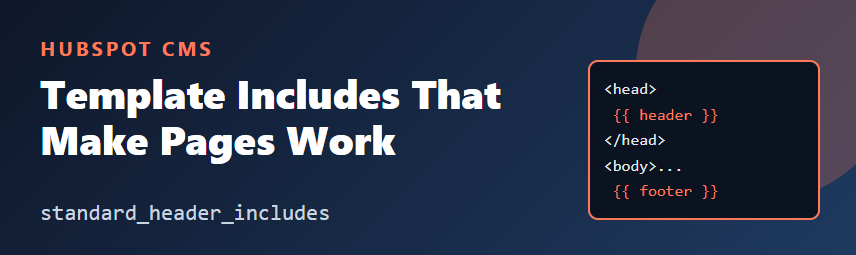
standard_header_includesbelongs inside<head>. HubSpot uses it to output head content such as the stylesheets associated with the page and its modules, and the head HTML configured in page or domain settings.standard_footer_includesbelongs just before the closing</body>. HubSpot uses it for footer content such as the tracking code and scripts that modules request.
Treat the exact list of what each one outputs as HubSpot's to change. What matters to you is the contract: both must be present, once each, in the right place.
A minimal base template
<!--
  templateType: page
  isAvailableForNewContent: false
-->
<!doctype html>
<html lang="{{ content.language.languageCode|default('en') }}">
  <head>
    <meta charset="utf-8">
    <title>{{ page_meta.html_title }}</title>
    <meta name="viewport" content="width=device-width, initial-scale=1">
    {{ standard_header_includes }}
  </head>
  <body>
    {% dnd_area "main" %}{% end_dnd_area %}
    {{ standard_footer_includes }}
  </body>
</html>
If you split your layout with template inheritance, put both variables in the base template so every child page gets them automatically. Do not add them again in child templates, or you risk duplicate output.
Where to place them
- Put the header include after your own
<meta>tags and before the closing</head>. If you also load your own stylesheet with a<link>tag, decide deliberately whether it should come before or after the include, because later rules win when specificity is equal. - Put the footer include last in the body, after your markup, so scripts run once the page content exists.
How require_css and require_js relate
Inside a module, you can ask HubSpot to add assets to the page instead of printing them inline. The require_css and require_js tags are the HubL way to do that.
{% require_css %}
<style>
  .promo-banner { padding: 1rem; }
</style>
{% end_require_css %}

{% require_js %}
<script>
  document.querySelectorAll('.promo-banner').forEach(function (el) {
    el.dataset.ready = 'true';
  });
</script>
{% end_require_js %}
HubSpot collects this output and places it on the page rather than leaving it scattered inside the module markup. Check the HubSpot docs for exactly where each tag's output lands, and view the page source to confirm it appears once, even when a module is used several times on a page. See the earlier article on module CSS and JavaScript for scoping advice.
Symptoms of a missing include
| Symptom | Check first |
|---|---|
| Modules look unstyled on the live page | Is standard_header_includes in <head>? |
| No HubSpot tracking or analytics data | Is standard_footer_includes present in <body>? |
| Module JavaScript does not run | Footer include missing, or a script error earlier on the page |
| Styles or scripts appear twice | Is an include repeated in a child template or partial? |
| Head HTML from page settings never appears | Header include missing or placed in the body |
A quick verification routine
- Open the published or preview URL and view the page source.
- Search for the HubSpot-generated content you expect in the head and just before
</body>. - Open browser developer tools and check the Console for errors and the Network tab for failed CSS or JS requests.
- If you use a base template, confirm each child template extends it rather than defining its own head.
Takeaways
- Every template needs
standard_header_includesin the head andstandard_footer_includesat the end of the body, each once. - Put them in your base template and let child templates inherit them.
- Use
require_cssandrequire_jsin modules, and check the page source when something goes missing.
Always confirm details against the official HubSpot developer documentation for HubL variables and tags, since HubSpot may extend what the includes output.