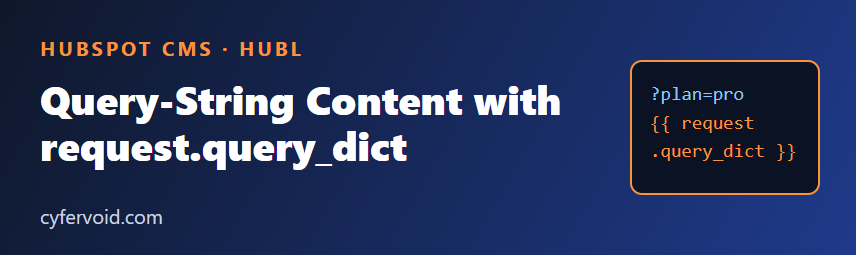
Campaign links often carry extra information in the URL, such as ?plan=pro or ?utm_campaign=spring. HubL gives templates and modules access to that data through the request variable, so one page can adapt its content without any JavaScript. This article shows what request offers, how to use it safely, and where it falls short.
What the request variable contains
HubSpot documents a set of request properties available in HubL on CMS pages. The ones used most often are:
request.path: the path of the current page, without the query string.request.query: the raw query string.request.query_dict: the query string parsed into a dictionary, so you can read individual parameters.request.domain: the domain the page is served from.
Check HubSpot's developer reference for the full, current list, since properties can change over time.
Read a single parameter
Use query_dict with a dot or bracket lookup and always provide a fallback, because the parameter may be missing:
{% set plan = request.query_dict.plan %}
{% if plan %}
  <p>You are viewing the {{ plan|escape }} plan.</p>
{% else %}
  <p>Compare all of our plans.</p>
{% endif %}
Show a campaign banner
A common use is a small message that changes by campaign. Map allowed values to known text instead of printing whatever arrives:
{% set campaign = request.query_dict.utm_campaign %}
{% set messages = {
  "spring": "Spring offer: book a free site review this month.",
  "webinar": "Thanks for joining our webinar. Here are the slides."
} %}
{% if campaign and messages[campaign] %}
  <div class="campaign-banner">{{ messages[campaign] }}</div>
{% endif %}
Because the output comes from your own dictionary, a visitor cannot inject their own text into the page. This allow-list approach is the safest pattern.
Treat every parameter as untrusted input
- Escape output. Anyone can craft a link, so a value printed raw into HTML can become a cross-site scripting problem. Use the
escapefilter when printing a value, and prefer allow-lists when you can. - Never use parameters for secrets or permissions. A parameter like
?member=truecan be typed by anyone. Use HubSpot's membership or private content features for gated content. - Do not build URLs or scripts from raw values. Avoid placing a parameter inside an
href, inline script or style without validating it first.
Keep the base page useful
Search engines and visitors without parameters see the default version, so the page must make sense on its own. Treat parameter-driven content as an enhancement. If the variation changes the main content a lot, consider a separate page instead, and check the canonical URL so variants do not compete with each other.
Use it inside a custom module
The same variable can be used in module.html, which lets editors decide where a personalised block appears. Add text fields for the messages and render the default when no parameter matches:
{% set topic = request.query_dict.topic %}
{% if topic == "forms" %}
  {{ module.forms_message }}
{% else %}
  {{ module.default_message }}
{% endif %}
Testing
- Open the live or preview URL with and without the parameter and compare.
- Try unexpected values, empty values and very long values.
- The page editor may not carry your query string, so test on the real page URL.
Quick checklist
- Provide a default for a missing parameter.
- Prefer allow-lists to printing raw input.
- Escape anything you do print.
- Keep sensitive or gated content out of URL-based logic.
- Test the page both with and without parameters.
Sources: HubSpot Developer Documentation, HubL variables reference (request) and HubL filters (escape).