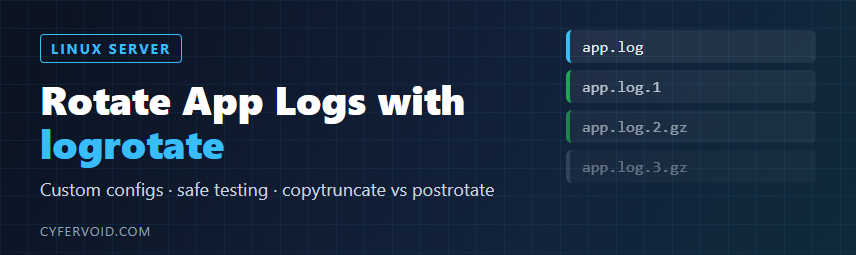
Application logs grow quietly until the disk is full and the server stops writing data. Ubuntu and Debian already ship logrotate, the tool that rotates, compresses and deletes old system logs. This guide shows how to add your own application logs to it, which options matter, how to make your app write to the new file after rotation, and how to test the setup before you rely on it.
1. How logrotate runs on Ubuntu and Debian
logrotate is not a daemon. It runs once, reads its configuration, rotates the logs that are due and exits. On current Ubuntu and Debian releases a systemd timer starts it once a day. Check the timer and the last run:
systemctl list-timers logrotate.timer
systemctl status logrotate.service
journalctl -u logrotate.service --since "2 days ago"
On systems without systemd, the daily cron job /etc/cron.daily/logrotate does the same work.
The configuration has two parts:
/etc/logrotate.conf: global defaults (for exampleweeklyandrotate 4) and the lineinclude /etc/logrotate.d./etc/logrotate.d/: one file per package or application. Packages such as Nginx, rsyslog and apt put their own files here. This is where your config goes.
logrotate remembers when each log was last rotated in a state file. On Debian and Ubuntu that file is /var/lib/logrotate/status. Because of this, a weekly log is rotated when a week has passed since the last rotation, even though logrotate itself runs every day.
Note: logs kept by systemd-journald (read with journalctl) are not handled by logrotate. journald has its own size and age limits.
2. Write a config for your application
Assume your app runs as the user myapp and writes to /var/log/myapp/. Create /etc/logrotate.d/myapp:
/var/log/myapp/*.log {
    daily
    rotate 14
    missingok
    notifempty
    compress
    delaycompress
    create 0640 myapp adm
    sharedscripts
    postrotate
        systemctl reload myapp.service > /dev/null 2>&1 || true
    endscript
}
What each line does:
daily: rotate once a day. Other choices areweekly,monthlyandyearly.rotate 14: keep 14 old files. The 15th oldest is deleted.rotate 0deletes old versions at once instead of keeping them.missingok: do not report an error if no log file exists.notifempty: skip rotation when the log is empty.compress: gzip old logs.delaycompresswaits one cycle, soapp.log.1stays plain text. This helps when the app may still write to the old file for a short time after rotation, and it keeps the most recent old log easy to read.create 0640 myapp adm: after moving the old file away, create a new empty log with this mode, owner and group.sharedscripts: run thepostrotatescript once for all matching files, not once per file. It also means the script runs only if at least one log was rotated.postrotate ... endscript: commands run after rotation. Here it tells the app to reopen its log files (see section 4).
The config file itself should be owned by root and not writable by group or others (mode 0644). logrotate ignores config files with unsafe permissions.
sudo chown root:root /etc/logrotate.d/myapp
sudo chmod 0644 /etc/logrotate.d/myapp
3. Rotate by time, by size, or both
Time-based rotation is easy to predict, but a busy log can still fill the disk between runs. logrotate has three size options, and they behave differently:
| Option | When the log is rotated | Typical use |
|---|---|---|
size 100M | Only when the file is larger than 100 MB. The time interval (daily, weekly) is ignored. | Logs where only disk space matters |
minsize 10M | When the time interval has passed and the file is at least 10 MB. | Quiet logs you do not want split into many tiny files |
maxsize 500M | When the time interval has passed, or earlier if the file is larger than 500 MB. | Daily rotation with a safety limit for sudden spikes |
Size is checked only when logrotate runs. With the default daily timer, a log can grow far past maxsize before the next run. If you need size checks more often, run logrotate more often (for example with a separate systemd timer for that one config), not just a smaller size value.
Two more options limit how much is kept:
maxage 30: delete rotated logs older than 30 days, whatever therotatecount.dateext: name old files with a date (for exampleapp.log-20261129) instead of.1,.2. With the default date format the name only changes once a day, so a second rotation on the same day is usually skipped because the dated file already exists.
4. Make the app write to the new file: postrotate or copytruncate
This is the part most setups get wrong. When logrotate renames app.log to app.log.1, a running program keeps its open file handle and keeps writing into app.log.1. The new app.log stays empty. There are two ways to solve this:
create + postrotate (recommended) | copytruncate | |
|---|---|---|
| How it works | Rename the log, create a new one, then signal the app to reopen its log files. | Copy the log to app.log.1, then truncate the original to zero bytes. The app keeps writing to the same file. |
| Needs app support | Yes: a reload, a signal such as SIGHUP or SIGUSR1, or a restart. | No |
| Risk | None for log data if the app reopens correctly. | Lines written between the copy and the truncate can be lost. Copying a large file also costs disk I/O and temporary space. |
Use postrotate when your application can reopen its logs. Check its documentation for the right command. Nginx, for example, reopens its log files on nginx -s reopen or the USR1 signal, and the Nginx package on Debian and Ubuntu already ships /etc/logrotate.d/nginx that does this for you. Look at that file before writing your own config for Nginx logs, so you do not rotate the same files twice.
Use copytruncate only for programs that cannot reopen their logs. In that case remove the create line (it has no effect with copytruncate) and drop the postrotate block:
/var/log/legacyapp/output.log {
    daily
    rotate 7
    missingok
    notifempty
    compress
    copytruncate
}
5. Test before you trust it
Debug mode shows what logrotate would do without changing any log or the state file:
sudo logrotate -d /etc/logrotate.d/myapp
Read the output for lines such as "log does not need rotating" or "rotating pattern", and for any error. Running one file on its own does not load the defaults from /etc/logrotate.conf. To check your file together with the real global settings, test the main config:
sudo logrotate -d /etc/logrotate.conf
To see a real rotation now, force it with verbose output. This really rotates the logs and runs postrotate, so do it at a quiet time:
sudo logrotate -v -f /etc/logrotate.d/myapp
ls -l /var/log/myapp/
If you want to experiment without touching the real state file, give logrotate its own state file with -s:
sudo logrotate -v -f -s /tmp/logrotate-test.state /etc/logrotate.d/myapp
After a real rotation, confirm that the app writes to the new app.log (its size grows) and not to app.log.1.
6. Common errors and fixes
- "parent directory has insecure permissions": the log directory is writable by a non-root user or group. logrotate refuses to work there unless you tell it which user and group to rotate as. Add a
suline inside the block, for examplesu myapp adm, matching the owner of the directory. - "duplicate log entry": two configs match the same file. This often happens when a backup copy such as
myapp.bakis left in/etc/logrotate.d/, because logrotate reads it too. Keep backups outside that directory, and check package configs (like the Nginx one) before adding your own. - Old logs are rotated but the new log stays empty: the app still writes to the renamed file. Fix the
postrotatecommand or switch tocopytruncate(section 4). - Nothing happens: the log is not due yet. Check the last rotation time in
/var/lib/logrotate/status, and use-dto see the reason. - Errors in the daily run: read
journalctl -u logrotate.service. A mistake in one config file can make the whole run report a failure, so check the journal after every change.
Quick checklist
- One file per app in
/etc/logrotate.d/, owned by root, mode0644. - Set
rotateand, if needed,maxageso old logs are deleted. - Use
compresswithdelaycompress. - Prefer
create+postrotate; usecopytruncateonly when the app cannot reopen logs. - Add
maxsizefor logs that can spike. - Test with
logrotate -d, then one forced run, then watch the next daily run in the journal.
Sources
- logrotate(8) manual page: man7.org/linux/man-pages/man8/logrotate.8.html
- logrotate project on GitHub: github.com/logrotate/logrotate
- Nginx documentation, Controlling nginx (log file reopening): nginx.org/en/docs/control.html
- Debian manpages, logrotate: manpages.debian.org/logrotate