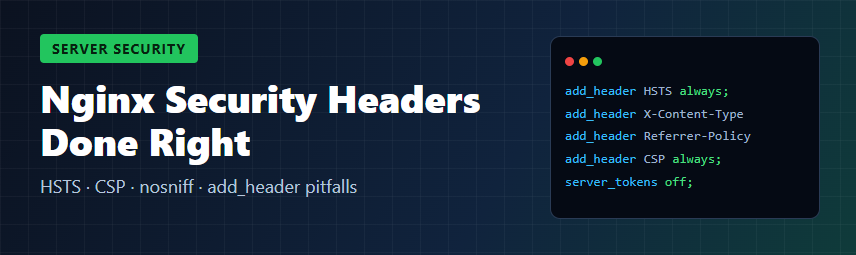
After you set up HTTPS on Nginx, the next quick security win is HTTP security headers. These are short response headers that tell the browser how to treat your site. For example, they can force HTTPS, stop MIME-type guessing, block other sites from framing your pages, and limit which scripts may run.
They take a few minutes to add. However, Nginx has one well-known trap: the way add_header is inherited. Because of it, many servers send the headers on some pages and silently drop them on others. This guide shows a safe setup on Ubuntu or Debian, explains the trap, and shows how to test the result.
Before you start
- Nginx is installed and your site already works over HTTPS. If not, see our guide on free HTTPS with Certbot and Let's Encrypt first.
- You have
sudoaccess and can runnginx -t. - You can reach the server another way (console or a second SSH session) in case a change breaks something.
The headers, in short
| Header | Starting value | What it does |
|---|---|---|
Strict-Transport-Security | max-age=31536000 | Tells the browser to use only HTTPS for this host for the given number of seconds (here, one year). |
X-Content-Type-Options | nosniff | Stops the browser from guessing a file's type, which blocks some script-injection tricks. |
X-Frame-Options | SAMEORIGIN or DENY | Controls whether other sites may show your pages in a frame (protection against clickjacking). |
Referrer-Policy | strict-origin-when-cross-origin | Limits how much of your URL is sent to other sites when visitors follow links. |
Permissions-Policy | camera=(), microphone=(), geolocation=() | Turns off browser features your site does not use. |
Content-Security-Policy | Depends on your site | Lists where scripts, styles, images and frames may load from. The strongest header, and the one that needs the most testing. |
The add_header inheritance trap
The official Nginx documentation for the ngx_http_headers_module says that add_header directives are inherited from the previous configuration level if and only if there are no add_header directives on the current level.
In practice, this means a single add_header inside a location block cancels every header set in the server or http block for that location. Look at this example:
server {
    add_header X-Content-Type-Options "nosniff" always;
    add_header Strict-Transport-Security "max-age=31536000" always;

    location /static/ {
        add_header Cache-Control "public, max-age=86400";
        # This location now sends ONLY Cache-Control.
        # nosniff and HSTS are gone here.
    }
}
The fix used in this guide is simple: keep all security headers in one snippet file and include it again in every block that has its own add_header.
The always flag
By default, Nginx adds a header only to responses with certain status codes (200, 201, 204, 206, 301, 302, 303, 304, 307 and 308). Error pages such as 404 or 500 do not get the header. If you add the always parameter, Nginx adds the header to every response, whatever the status code. Use always for security headers.
Step 1: Create a snippet file
Create /etc/nginx/snippets/security-headers.conf:
sudo nano /etc/nginx/snippets/security-headers.confStart with these values:
# HTTPS only for one year. Add includeSubDomains only when
# every subdomain works over HTTPS (see below).
add_header Strict-Transport-Security "max-age=31536000" always;

add_header X-Content-Type-Options "nosniff" always;
add_header X-Frame-Options "SAMEORIGIN" always;
add_header Referrer-Policy "strict-origin-when-cross-origin" always;
add_header Permissions-Policy "camera=(), microphone=(), geolocation=()" always;

# Test CSP first in report-only mode (see Step 4).
add_header Content-Security-Policy-Report-Only "default-src 'self'; frame-ancestors 'self'; object-src 'none'; base-uri 'self'" always;
Step 2: Include it in your HTTPS server block
Open your site file, for example /etc/nginx/sites-available/example.com, and add the include to the server block that listens on port 443. Also add it to every location that has its own add_header:
server {
    listen 443 ssl;
    server_name example.com www.example.com;

    include snippets/security-headers.conf;

    location /static/ {
        add_header Cache-Control "public, max-age=86400";
        include snippets/security-headers.conf;   # repeat it here
    }
}
While you are in the config, also hide the exact Nginx version from the Server header and error pages. Put this in the http block of /etc/nginx/nginx.conf (Ubuntu and Debian ship it as a commented-out line):
server_tokens off;This does not fix any bug, but it gives attackers less free information. Keeping Nginx updated is what actually protects you.
Step 3: Test and reload
sudo nginx -t
sudo systemctl reload nginx
Only reload when nginx -t reports that the syntax is ok and the test is successful. Then check the headers from your own computer:
curl -sI https://example.com/
curl -sI https://example.com/static/some-file.css
curl -sI https://example.com/page-that-does-not-exist
Every response, including the 404, should show the same security headers. If one path is missing them, look for an add_header in that location block and include the snippet there too.
Step 4: Roll out Content-Security-Policy safely
A strict CSP can break a site that loads scripts, fonts or analytics from other domains. For that reason, the snippet starts with Content-Security-Policy-Report-Only. In this mode, the browser does not block anything. It only reports violations in the developer console.
- Open your main pages with the browser developer tools open and read the CSP messages in the Console.
- Add each trusted source you really need, for example
script-src 'self' https://www.googletagmanager.com. - When the console is clean, rename the header to
Content-Security-Policyto enforce it.
The frame-ancestors directive in CSP is the modern way to control framing. Keep X-Frame-Options as well for older browsers. Also remember that report-only mode blocks nothing, so until you enforce CSP, X-Frame-Options is what actually stops other sites from framing your pages.
Step 5: Strengthen HSTS when you are ready
HSTS is powerful because the browser remembers it. If you later break HTTPS, visitors cannot click through the warning until max-age runs out. So build it up in stages:
- Start with a short value such as
max-age=300(five minutes) and check that the whole site works. - Raise it to
max-age=31536000(one year). - Add
includeSubDomainsonly when every subdomain, including internal ones, works over HTTPS. - Consider the browser preload list (
hstspreload.org) last. Its requirements include a valid certificate, a redirect from HTTP to HTTPS on the same host, and an HSTS header with at least one year ofmax-age,includeSubDomainsandpreload. Removal from the list is slow, so do not submit a domain you are unsure about.
Send HSTS only on HTTPS responses. Browsers ignore it over plain HTTP, so you do not need it in the port 80 server block that only redirects.
Common mistakes
- Headers missing on some paths. This is the inheritance trap. Search your config with
grep -rn add_header /etc/nginx/and include the snippet in each block you find. - Headers missing on error pages. Add the
alwaysparameter. - Duplicate headers. If Nginx is a reverse proxy and the application also sends a header such as
X-Frame-Options, the browser can receive two different values. Remove it in one place, or hide the backend copy withproxy_hide_header X-Frame-Options;. - Still setting X-XSS-Protection. Modern browsers have removed this XSS filter, and the OWASP HTTP Headers Cheat Sheet advises against enabling it. Use a Content-Security-Policy instead.
- Enforcing CSP without testing. Always use report-only mode first.
Check your score
Besides curl -I, you can scan a public site with the HTTP Observatory on MDN (developer.mozilla.org/en-US/observatory). It grades the headers and explains each finding. Run it again after every change.
Summary
- Put all security headers in one snippet and use
alwayson each of them. - Include the snippet in every block that has its own
add_header, because Nginx does not merge them. - Test with
nginx -tbefore reloading, then check normal, static and 404 responses withcurl -I. - Roll out CSP in report-only mode first, and raise HSTS step by step.
Sources
- Nginx documentation: Module ngx_http_headers_module (
add_header, inheritance and thealwaysparameter) and theserver_tokensdirective, nginx.org - Nginx documentation:
proxy_hide_header, Module ngx_http_proxy_module, nginx.org - RFC 6797: HTTP Strict Transport Security (HSTS), IETF
- HSTS preload list submission requirements, hstspreload.org
- MDN Web Docs: Strict-Transport-Security, Content-Security-Policy, X-Content-Type-Options, X-Frame-Options, Referrer-Policy, Permissions-Policy and HTTP Observatory
- OWASP HTTP Headers Cheat Sheet, OWASP Cheat Sheet Series